Create a Project
From the Dashboard, click Create Project. This opens the project setup form where you configure what ImpactAccounting.ai should analyze.
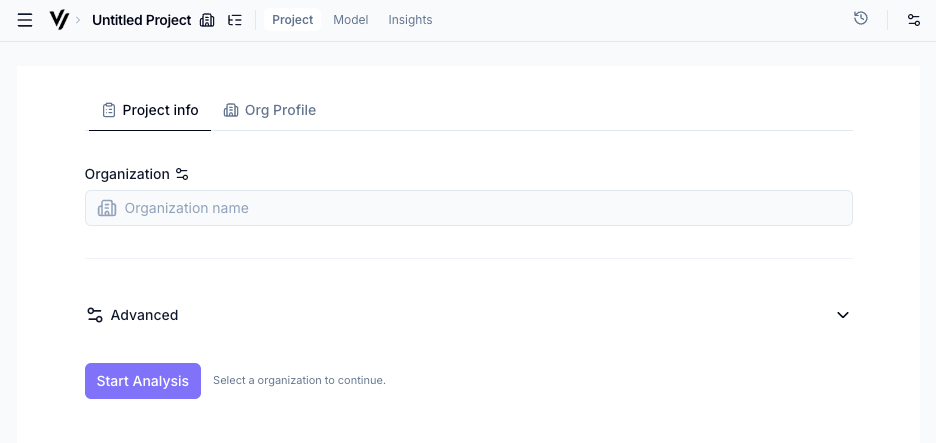
Organization vs Initiative
- Organization — Use this when you're analyzing a company or other organization. ImpactAccounting.ai looks up the organization online and searches for multiple reliable data sources about its activities, scale, geography, and business model.
- Initiative — Use this for a specific initiative, fund, program, intervention, or deployment. ImpactAccounting.ai uses your description to scope the initiative properly. It may look online for more information, but it will avoid confusing the initiative with the full parent organization.
Most users start with Organization. Choose Initiative when the analysis should stay focused on a defined activity, program, geography, beneficiary group, or implementation scope.
Initiative scope
When you choose Initiative, enter the initiative name and describe the scope and boundary before starting the analysis. This description tells the AI what is in scope and what should stay out.
Include the details that define the initiative clearly:
- What the initiative does and who delivers it
- The functional unit or main output being evaluated
- Target beneficiaries, customers, or stakeholders
- Geography and operating context
- Time boundary or implementation period
- Delivery model, partners, and funding model
- Counterfactual or comparison case, if you know it
Optional settings
Expand the Advanced section to configure:
- Supporting documents — Upload annual reports, sustainability disclosures, or other materials (PDF, DOCX, PPTX, TXT). These give the AI richer context.
- Analysis Intent — Tell the AI what question the valuation should answer, separately from background notes. Use this to frame due diligence, initiative evaluation, reporting, or strategy work.
- Additional information — Free-text field for anything the AI should know (e.g., "Focus on the SaaS product, not the consulting arm").
- Analysis year — Which year's data to base the analysis on (defaults to current year).
- Results currency — The currency for all monetary values in the results.
Input assessment
Uploaded files and user-provided text go through an Input Assessment stage before the main valuation agents use them. The AI reads the material, extracts citation-grade facts, separates factual claims from analysis guidance, checks relevance to the organization or initiative, and assesses credibility.
For files, the credibility setting starts on Auto. You can override it when you know more about the document than the AI can infer from the file itself, such as whether it was audited, externally reviewed, or only a rough internal note.
| Level | Meaning |
|---|---|
| Auto | Let the AI assess credibility from the document content and context. This is the default for uploaded files. |
| Verified | Audited, peer-reviewed, official, or otherwise strongly validated evidence. |
| Credible | Reputable source or corroborated information, such as established databases, official sources, or strong third-party material. |
| Indicative | Useful but not fully verified evidence, such as non-audited reports, industry estimates, expert estimates, or plausible first-hand user data. |
| Uncertain | Vague, self-reported, weakly specified, or hard-to-verify claims. |
| Unreliable | Promotional, contradicted, implausible, or impact-washing material that should not be relied on without stronger evidence. |
Start the analysis
Click Start Analysis. The AI will model the organization's or initiative's impact pathways — this takes approximately 30 minutes. You'll receive an email when it's done.